At Synergy Technology, we are committed to keeping you informed about key developments in the tools you rely on. That’s why we want to share details about the latest SuperOffice CRM update, version 11.10, which brings exciting new features, enhanced insights, and improved functionality. 11.10 is out now and should be deployed for all our Online customers (if not over the next few days).
Main new features for this version
Dashboards
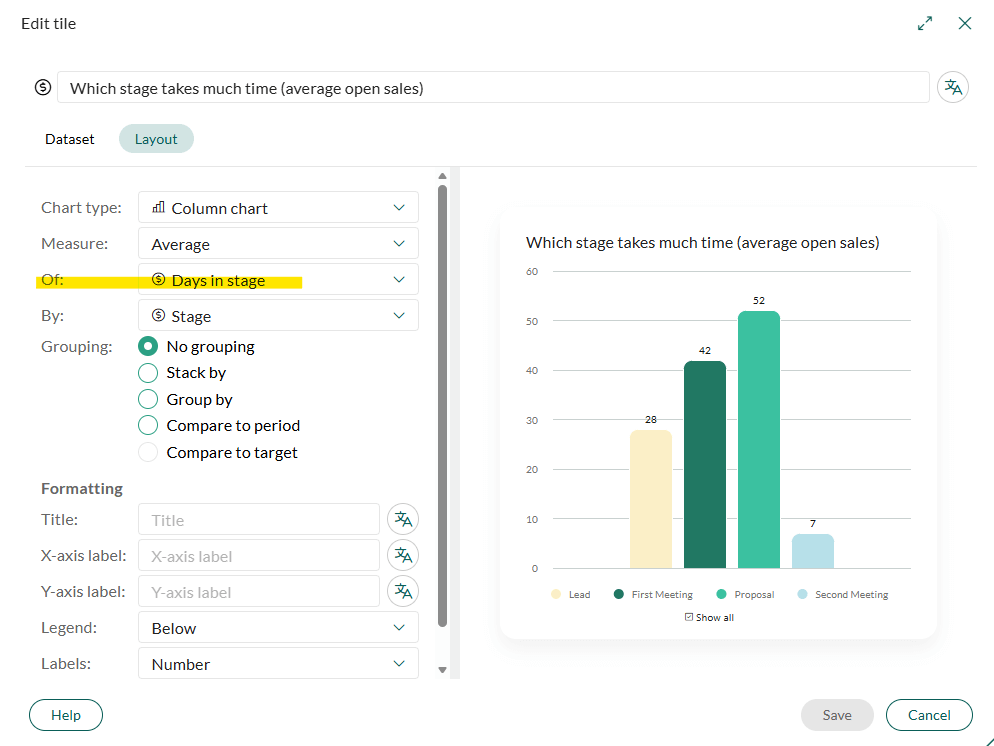
- You can now set a measurement option that shows how long a sale has been in a certain stage. Potential way to identify bottlenecks in the sales process
- You can select this in the layout of the dashboard tile:
More detail:
The dashboards include Days in stage – a measurement option that makes it easier to analyse how long sales remain in each stage of the sales process.
This update provides clearer insight into stage duration, helps identify bottlenecks, and supports more data‑driven pipeline management.
- Measure of: Days in stage is available when selecting average, min, or max in the Measure drop‑down.
- Group by stage: You can group results by sale stage to better understand pipeline flow.
- Stacked by – Field: The visualization can be stacked by days in stage, owner, owner group, sale type, and more.
Notifications
- Notifications are now sent for all reassigned follow-ups.
- This can be backdated 30 days – if a past follow up is reassigned.
Makes follow up management easier and less likely to miss bits.
More detail:
The system sends notifications for all re‑assigned follow‑ups, regardless of follow‑up type, ensuring better visibility and follow‑through when task ownership changes.
- Notifications are sent for all re‑assigned follow‑ups, regardless of follow‑up type.
- The system generates notifications for re‑assignments with dates up to 30 days back in time, ensuring no updates are missed.
This approach makes follow‑up management more reliable, reduces the risk of overlooked tasks, and ensures users stay informed whenever ownership changes.
Marketing – Subscription Page
The subscription page is now more customizable.
You can edit things like:
- font, text colour and size
- Background colours
- Button colours
- Page width and background
- Add company logos
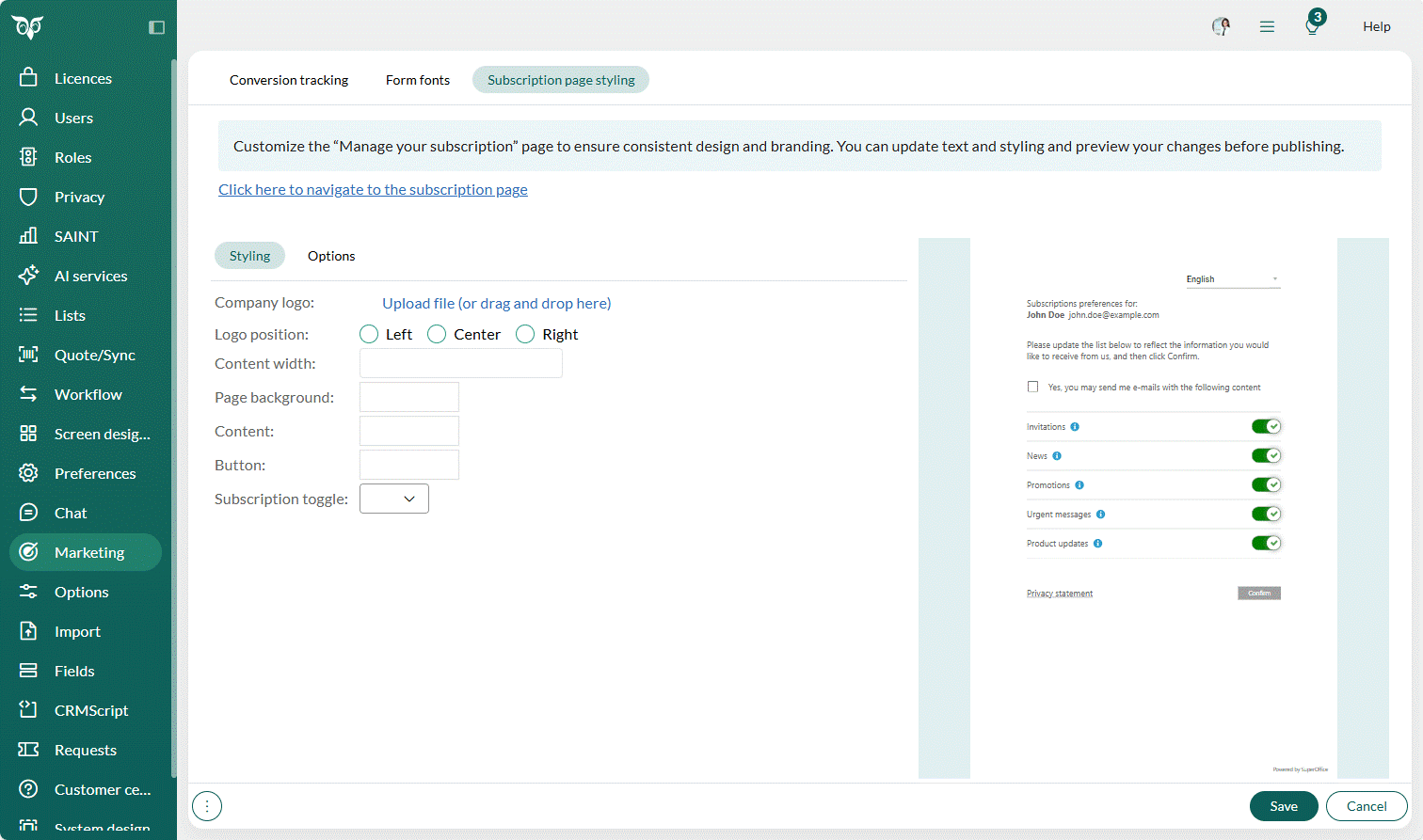
This is done in the settings under marketing:
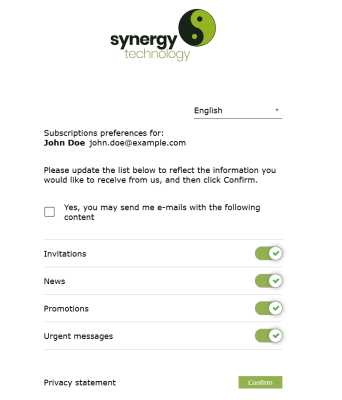
An example of one can be seen here:
A Marketing licence will be needed for this.
More detail:
All contacts added to SuperOffice CRM receive a Privacy confirmation email that includes a link to their subscription settings. From here, they can easily manage which mailings they want to receive from your company.
This subscription page link is also included in all mailings, allowing contacts to update their preferences at any time. The same subscription types are used when creating a mailing, ensuring consistency when selecting the mailing type you want to send.
You can customise the look and feel of the subscription page from Marketing in the navigator, under the Subscription page styling tab, where you have a Styling and an Options section. Any changes you make are shown immediately in the preview on the right-hand side.
- Styling section: You can add your company logo and adjust its position, set the page width and background, and style the content, buttons, and subscription toggles.
- Options section: You can customise the text for all supported languages. Simply select the desired language and update the Header, Instructions, and Consent text to match your tone of voice and branding. If you delete the text in any of the fields, it will automatically revert to the SuperOffice CRM default text.
New and Updated Apps in the SuperOffice App Store
Feel free to browse the latest apps on the SuperOffice App Store including out very own Harmoniser.
Looking for more integrations? Visit the SuperOffice App Store.
Want more information about SuperOffice Version 11.10?
If you would like further information on this article or anything else on our website, you can call us on 0345 456 0050 or send us a message via our contact page.
Follow us on social media: