
Introduction
For many UK small and medium-sized enterprises, ERP software sits at the centre of day-to-day operations, bringing together finance, stock, manufacturing, sales, reporting, and wider business processes. However, a number of long-established ERP products are now retired or moving towards defined support deadlines. That creates an important planning issue for businesses still running legacy systems, particularly where support, compliance updates, security fixes, and specialist knowledge are becoming harder to rely on. Microsoft Dynamics GP, Dynamics SL, Sage Line 500, Sage ERP 1000, and SAP ECC are all examples where customers now need to review their options and build a realistic migration plan.
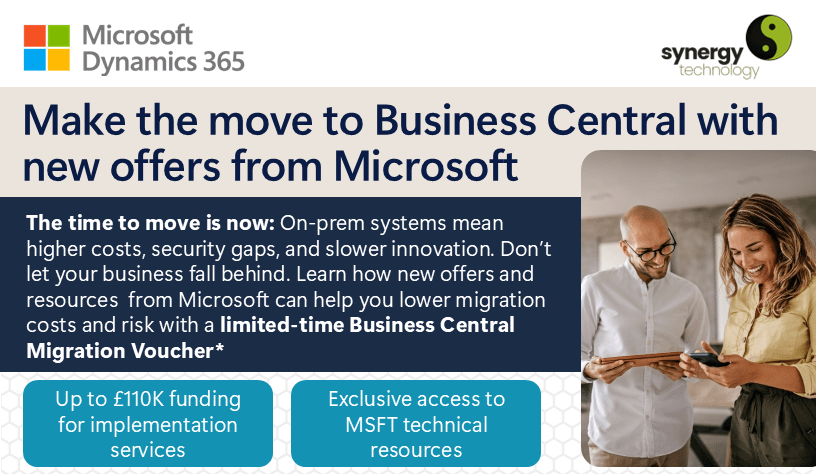
For organisations looking to replace ageing ERP software, Microsoft Dynamics 365 Business Central provides a modern cloud ERP platform for finance, operations, sales, reporting, and connected business management. It can be configured around changing requirements, supports growth without the same on-premises infrastructure burden, and works closely with Microsoft 365 and the wider Microsoft technology stack.
Legacy ERP Systems Going End of Life
Several well-known ERP platforms are no longer receiving full vendor support, while others are working to published timelines for future support changes. The following overview highlights the main legacy systems UK SMEs should keep on their radar when reviewing ERP risk and planning next steps.
Microsoft Dynamics GP, Great Plains
- Overview: Dynamics GP, formerly Great Plains, has long been used by SMEs that need dependable financial management functionality.
- End-of-Life Timeline: Microsoft stopped selling new perpetual Dynamics GP licences to new customers on 1 April 2025 and stopped selling new subscription licences to new customers on 1 April 2026. Product enhancements, regulatory updates, service packs, and technical support are scheduled to finish on 31 December 2029, followed by the end of security updates on 30 April 2031.
- Why Consider Business Central: For Dynamics GP customers, Business Central is Microsoft’s main onward route, bringing together finance, operations, manufacturing, reporting, and Microsoft 365 integration in a cloud-based environment.
Microsoft Dynamics SL
- Overview: Dynamics SL is best known for project accounting and project management, with particular relevance for service-based, construction, and project-led organisations.
- End-of-Life Status: Mainstream support for Dynamics SL 2018 ended on 9 January 2024, and extended support is due to end on 11 July 2028. Microsoft’s development focus is now firmly on Dynamics 365 Business Central and other cloud-first Dynamics 365 applications, so SL users should treat the remaining support window as time for planning.
- Why Consider Business Central: Business Central gives organisations access to project, finance, reporting, and integration capabilities through a modern SaaS platform, helping reduce reliance on ageing infrastructure.
SAP ECC 6.0 and SAP Business One, On-Premises
- Overview: SAP ECC has supported core finance, manufacturing, and distribution processes for many larger and mid-market organisations over a long period.
- End-of-Life Timeline: For SAP ERP 6.0, mainstream maintenance for enhancement packages 0 to 5 ended on 31 December 2025. Enhancement packages 6 to 8 remain in mainstream maintenance until 31 December 2027, with optional extended maintenance available until 31 December 2030. SAP Business One does not follow the same ECC retirement schedule, although SAP’s wider product direction continues to place greater emphasis on cloud and modernised deployment options.
- Why Consider Business Central: Business Central can provide a more flexible cloud ERP option, with regular updates, audit support, reporting, and compliance features that are important for UK businesses reviewing their long-term systems strategy.
Sage Line 500
- Overview: Sage Line 500 was a long-standing on-premises ERP system used by many mid-sized UK organisations for finance, distribution, manufacturing, and operational control.
- End-of-Life Timeline: Sage Line 500 reached end of life on 31 December 2024. Sage stated that development, maintenance, compliance updates, and technical support would stop after this date.
- Why Consider Business Central: Once a product is out of support, businesses lose access to important security, legislative, and compatibility updates. Business Central offers a supported alternative that continues to evolve through regular Microsoft updates.
Sage 1000
- Overview: Sage 1000 followed on from Line 500 and extended the platform for finance, supply chain, and operational management across UK and Irish businesses.
- End-of-Life Timeline: Sage 1000 also reached end of life on 31 December 2024, with Sage ending official support and maintenance from that point.
- Why Consider Business Central: Continuing to rely on Sage 1000 after end of life can increase exposure to security, compliance, integration, and operational risks. Business Central provides a current, cloud-based option with ongoing Microsoft support and product updates.
Key Considerations When Migrating From Legacy ERP to Modern SaaS ERP
Moving from an on-premises ERP system to a cloud ERP platform such as Business Central is not simply a software replacement. It is a chance to review how the business works, reduce unnecessary complexity, and put stronger foundations in place for future growth. These areas are worth considering early in the project.
Integration and Data Migration
- Legacy Data: Decide which historic and current data should be moved, and assess whether that data is complete, accurate, and useful enough to bring across.
- Data Mapping: Plan how fields, records, categories, and reporting structures will translate into Business Central, as this will affect everyday processes and management information.
- Third-party Add-ons: Review every business-critical integration, then confirm whether it can be retained, replaced, or rebuilt in the Business Central environment.
Business Process Review
- Process Optimisation: Use the migration as an opportunity to simplify processes and remove workarounds, rather than carrying old inefficiencies into a new system.
- Change Management: Give users clear communication, practical training, and time to adapt to new workflows, screens, and automation options.
Security and Compliance
- Regulatory Requirements: Cloud ERP can strengthen governance through controlled access, audit trails, backups, and regular security updates. Before migrating, businesses should still confirm their data residency, retention, and UK or EU compliance requirements.
- User Permissions: Business Central includes detailed user and permission controls, helping organisations protect data and manage access appropriately.
Budget and Timeline
- Scoping: Agree the scope, milestones, responsibilities, and deliverables before the project starts, so expectations are clear from the outset.
- Phased Deployment: For complex businesses, a phased approach can help reduce disruption and protect critical operations during the transition.
Partnership Choice
- Selection: Work with a partner that understands ERP migration, holds relevant certifications, and has experience in your sector, as the right guidance can reduce risk and improve project outcomes.
Start Your Migration Journey with Confidence
If your ERP system is already unsupported, or is approaching a confirmed support deadline, it is sensible to start planning before the pressure becomes urgent. A structured migration gives you time to assess risk, review processes, clean up data, and choose the right route into a modern ERP platform.
Book your free, no-obligation consultation with a Synergy Technology specialist to discuss your move to Microsoft Dynamics 365 Business Central. We can help you understand the options, reduce migration risk, and build a practical plan for long-term support and growth. Contact our migration experts or call us on +44 (0)345 456 0050.
Sources and Further Reading
- Synergy Technology – Migration vs Re-implementation
- Microsoft: Announcing End of Support for Dynamics GP
- Microsoft Lifecycle: Dynamics SL 2018
- Microsoft Business Central Development and Administration
- Microsoft: Dynamics 365 Product Documentation
- Microsoft: What’s New in Business Central
- SAP Community: Maintenance Timelines for SAP ERP 6.0
- Sage official legacy software notice – Sage Line 500
- Sage official legacy software notice – Sage ERP 1000
For more information on how Synergy Technology can help your business grow, call us on +44 (0)345 456 0050 or send us a message through our contact page.
Follow us on social media: