
Introduction
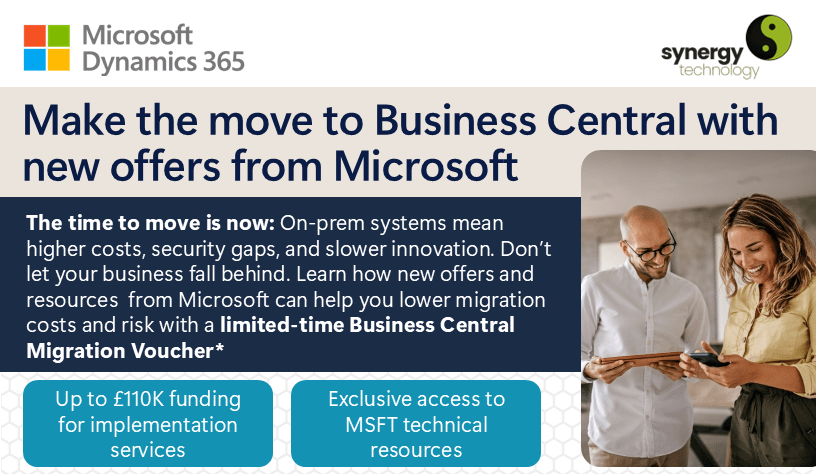
Legacy ERP systems remain the operational backbone for many UK small and medium-sized enterprises, supporting finance, operations, manufacturing, sales, reporting and customer service. However, as older ERP platforms move further through their lifecycle, businesses need to plan for reduced vendor support, rising maintenance costs, security exposure, integration gaps and the practical risks of relying on ageing software. This is especially relevant for organisations using Microsoft Dynamics GP and Microsoft Dynamics SL, where Microsoft has confirmed clear support and licensing timelines.
For many organisations, Microsoft Dynamics 365 Business Central provides a practical route forward from legacy ERP. It is a cloud-based business management solution for small and mid-sized organisations, covering finance, sales, purchasing, inventory, projects, manufacturing, service management and reporting in one connected platform. It also integrates closely with Microsoft 365, Power BI, Power Platform and other Microsoft services, helping SMEs modernise without losing sight of day-to-day operational needs.
How to Migrate from a Legacy ERP System to Dynamics 365 Business Central
Migrating to Business Central should not be treated as a simple software swap. A successful ERP migration needs clear planning, clean data, user involvement, careful testing and a realistic cutover plan. The roadmap below gives UK SMEs a practical high-level route to follow when moving from a legacy ERP system to Microsoft Dynamics 365 Business Central.
1. Discovery and ERP Readiness Assessment
- Review your current ERP setup, including finance processes, operational workflows, integrations, reporting and any manual workarounds.
- Clarify the business reasons for moving, such as support deadlines, security, scalability, remote working, reporting limitations or integration challenges.
- Speak to stakeholders across the business to understand pain points, must-have requirements and areas where processes could be improved.
2. Business Central Solution Design and Fit-Gap Analysis
- Compare existing processes with standard Business Central functionality to see where the system fits well out of the box.
- Identify gaps, configuration needs, reporting requirements and any areas where extensions or controlled customisation may be needed.
- Agree the scope for dashboards, management reporting, compliance requirements and approval workflows before build work begins.
3. Data Preparation and Cleansing Before Migration
- Audit existing data and remove duplicates, obsolete records and inconsistent information before migration.
- Map data from the legacy system into the correct Business Central structure, including customers, suppliers, items, accounts and open transactions.
- Prepare test data sets so migration routines can be checked before any live cutover takes place.
4. Legacy ERP Migration Planning
- Create a detailed project plan covering responsibilities, milestones, dependencies, test cycles and decision points.
- Define cutover, reconciliation and rollback plans so the business knows exactly what will happen at go-live.
- Plan training and communications early, rather than leaving user adoption until the end of the project.
5. Business Central Configuration and Customisation
- Configure Business Central around agreed processes, including roles, permissions, posting groups, workflows and reporting views.
- Connect Business Central with other critical systems, such as Microsoft 365, payroll, e-commerce, warehouse management or industry-specific applications.
- Assess whether approved extensions or add-ons are needed to support specialist requirements without overcomplicating the core system.
6. Data Migration to Business Central
- Run trial migrations in a test environment so issues can be identified before go-live.
- Validate balances, master data, open transactions and reporting outputs against the legacy system.
- Complete user acceptance testing to confirm that core processes work as expected in real business scenarios.
7. User Training and Change Management
- Provide role-based training for users, managers and administrators so each team understands the processes relevant to them.
- Create practical process notes and internal guidance that reflect how your organisation will use Business Central.
- Keep staff informed throughout the project and provide hands-on support as new ways of working are introduced.
8. Go-Live and Post-Implementation Support
- Move into go-live with technical, functional and user support available during the transition.
- Monitor early system use, resolve issues quickly and check that reporting, transactions and integrations are behaving as expected.
- Continue with support, training and optimisation after launch so the system keeps improving once it is in daily use.
Why You Need an Expert Partner for Your ERP Migration
ERP migrations affect finance, operations, reporting, customer service and decision-making. If they are not properly managed, they can lead to poor data quality, disrupted processes, compliance issues and avoidable cost. Working with an experienced Microsoft Business Central partner helps reduce those risks and gives the project a clearer route from assessment to go-live.
- Specialist knowledge: An experienced partner brings proven migration methods, product knowledge and practical experience of the issues that often appear during ERP projects.
- Project control: Clear governance, planning and communication help keep the project moving and reduce the chance of late surprises.
- Post-go-live support: Ongoing help after launch gives users somewhere to turn and helps the business get more value from the system over time.
Why Choose Synergy Technology for Your Business Central Migration?
Synergy Technology works with UK SMEs to scope, implement and support Microsoft Dynamics 365 Business Central. Our consultants combine product knowledge with practical project experience, helping organisations move from legacy ERP systems to Business Central in a controlled and manageable way.
- Practical migration experience: Synergy Technology has supported organisations through ERP change projects and understands the common risks around data, process design, testing and adoption.
- Microsoft Business Applications Solutions Partner: This designation recognises partners with proven capability across Microsoft business applications and reflects a commitment to quality delivery.
- Small and Midsize Business Management specialisation: This specialisation demonstrates deeper experience in delivering Business Central solutions for small and mid-sized businesses.
- Client-focused approach: We take time to understand how your business operates, then shape a migration path that supports your priorities and avoids unnecessary complexity.
- Long-term support: From early planning through to post-launch optimisation, our team provides ongoing guidance so Business Central continues to support your business as it changes.
Start Your Migration Journey With Confidence
If your current ERP system is becoming harder to support, now is the right time to assess your options. Planning your Business Central migration early gives you more control over timing, budget, data quality and user adoption. It also reduces the risk of being forced into a rushed migration as support deadlines get closer.
Book a free, no-obligation consultation with a Synergy Technology specialist to discuss your current ERP system, your migration options and whether Microsoft Dynamics 365 Business Central is the right fit. Contact our Business Central migration experts or call us on +44 (0)345 456 0050.
Sources and Further Reading:
-
- Synergy Technology – Migration vs Re-implementation
- Microsoft – What’s New in Business Central
- Microsoft – Migration Options for Dynamics GP and Dynamics SL Customers
- SAP Community – Maintenance Timelines for SAP ERP 6.0
- Sage official legacy software notice – Sage Line 500
- Sage official legacy software notice – Sage ERP 1000
For more information on how Synergy Technology can help your business grow, call us on 0345456 0050 or send us a message through our contact page.
Follow us on social media: