
Moving from Microsoft Dynamics NAV to Microsoft Dynamics 365 Business Central is a significant business project. Your chosen Business Central partner may be responsible for reviewing years of data, bespoke developments, integrations, reports and processes that your organisation relies on every day.
It is therefore important to look beyond an initial proposal or software demonstration. Before choosing a partner, you need to understand how they will assess your existing NAV environment, recommend the right migration route and support your users throughout the project.
The right partner will not simply move your current system. They will help you decide what should be retained, what could be improved and how Business Central can support your organisation in the future.
These ten questions will help you compare potential partners and make a more informed decision about your Dynamics NAV migration.
1. How Will You Assess Our Existing NAV Environment?
A potential Business Central partner should not recommend a migration approach until they understand your current environment.
An initial assessment should consider:
- The version of Dynamics NAV you are using
- Your finance and operational processes
- Reports and management information
- Bespoke developments
- Interfaces and integrations
- On-premises infrastructure
- Manual workarounds
- Data quality and volume
- Current business challenges
- Future requirements
Ask what the discovery process involves, which stakeholders will be consulted and how the findings will influence the proposed solution.
A detailed assessment helps establish the true scope of the project. It may also identify opportunities to simplify processes, remove unnecessary workarounds and avoid carrying historic complexity into Business Central.
Synergy Technology takes a consultative, discovery-led approach. We invest time in understanding how an organisation operates, the challenges it needs to address and what users need from the system before recommending a route forward.
2. How Will You Document Our Bespoke Developments and Integrations?
Many NAV systems have been adapted over several years. They may contain bespoke reports, fields, processes, interfaces and functionality developed specifically for the organisation.
Before planning a migration, your partner should establish:
- What has been customised
- Why each development was introduced
- Which teams still use it
- Whether it remains necessary
- Whether Business Central now provides similar functionality
- Whether an existing Business Central extension could meet the requirement
- Whether the process should be redesigned or replaced
This exercise should cover more than the underlying code. Your partner needs to understand the business purpose behind each development, otherwise important requirements may be overlooked.
A responsible partner should also challenge assumptions where appropriate. A feature developed ten years ago may still be essential, but it may now be available as standard or could be replaced by a simpler process.
Synergy Technology’s consultants and UK-based development team can assess existing customisations, reports and integrations, including developments originally produced by another partner or an internal team.
We consider what Business Central can provide through standard configuration, where an extension or integration may be appropriate and where a revised process could meet the requirement more effectively. This helps protect genuinely valuable functionality without automatically rebuilding every historic customisation.
3. Can You Support Both Migration and
Re-implementation?
Not every NAV customer should take the same route into Business Central.
A migration may be appropriate where existing data, processes and developments need to be retained. A re-implementation may offer greater value when an organisation wants to simplify its system, redesign processes or move only essential information.
Ask prospective partners to explain:
- Which routes are technically available
- What data and functionality each route retains
- How each option affects cost and project scope
- Whether current processes should be preserved
- Which historic customisations should be removed
- What the long-term support implications could be
Be cautious if a partner promotes one route before completing a meaningful assessment of your existing environment.
Synergy Technology can support migration, re-implementation and combined approaches. We assess the current environment and future requirements before recommending a route.
Our objective is not simply to recreate NAV in the cloud. It is to help you establish a practical Business Central solution that reflects how your organisation needs to operate now and in the future.
For a closer comparison, read Migration vs Re-implementation: Choosing the Right Path to Microsoft Dynamics 365 Business Central.
4. How Will You Decide Which Historical Data Should Move?
Moving every piece of historical data is not automatically the best approach. Equally, leaving behind information that users need for reporting, auditing or operational purposes can create problems after launch.
Ask potential partners how they will determine:
- Which customer, supplier, item and other master records should migrate
- How much transactional history is required
- What information must be retained for audit or regulatory purposes
- How poor-quality and duplicate data will be handled
- How users will access information that does not move
- How migrated data will be reconciled and validated
- Who will approve the final data sets
Data cleansing should be considered before migration, not after it. Moving obsolete, duplicated or inconsistent records could carry existing problems into the new environment.
Synergy Technology works with customers to develop a data strategy based on operational, reporting and audit requirements.
We help identify the information users genuinely need, the data that should be cleansed before migration and how records that remain outside Business Central should be accessed. Addressing these questions early can reduce avoidable complexity during testing and give users greater confidence in the new system.
5. What Testing Will Take Place Before Go-live?
Testing is one of the most important stages of any NAV to Business Central migration.
It should reflect realistic business scenarios. Users need to be confident that they can complete essential activities such as processing transactions, producing reports, managing stock, running integrations and completing period-end procedures.
Ask whether the project will include:
- Trial data migrations
- Data reconciliation and validation
- End-to-end process testing
- Integration testing
- Testing of reports and extensions
- User acceptance testing
- A process for recording and resolving issues
- Final readiness checks
- A clear cutover plan
It is also important to agree who is responsible for testing. Your partner can organise and support the process, but key users should verify that the system reflects the way the business operates.
Our experience of managing Microsoft business application projects helps us identify risks earlier, resolve issues methodically and prepare for a controlled transition.
6. How Will Users Be Involved and Trained?
A Business Central migration is not only a technical project. It can change how people complete their everyday work, make decisions and share information.
Ask how users will be involved during discovery, testing and implementation. You should also understand whether training will be tailored to different roles and responsibilities.
Useful questions include:
- Will key users contribute to process design?
- Who will participate in user acceptance testing?
- Will training reflect our configured environment?
- Can training be delivered to different teams or locations?
- What guidance will users receive after launch?
- Is refresher or new-user training available?
- How will feedback be gathered and addressed?
Involving employees early can uncover processes and workarounds that are not documented elsewhere. It can also help users understand why decisions are being made, rather than presenting them with a finished system shortly before launch.
Our consultants work with stakeholders and users to help them understand what is changing and how Business Central relates to their responsibilities. This practical approach helps organisations prepare their teams throughout the project rather than treating training as a final task before go-live.
7. Who Will Manage the Project and Communicate With Us?
A NAV migration involves decisions, dependencies and contributions from several people. Clear project management and regular communication are essential.
A responsible partner should be open about customer responsibilities. Delayed decisions, unavailable subject-matter experts or incomplete testing can affect a project, so both parties need to understand what is expected of them.
Synergy Technology provides experienced project and consultancy support throughout the migration.
We focus on clear communication from discovery and planning through to testing, training and go-live. Our collaborative approach keeps responsibilities visible and helps ensure that recommendations remain connected to the requirements agreed with the customer.
8. Can You Provide Development and Integration Support?
Business Central includes broad standard functionality, but some organisations will still need integrations, extensions or carefully controlled development.
Relevant systems might include CRM, ecommerce, warehousing, payroll, reporting, banking and specialist industry applications.
Your partner should not recommend development simply because a process worked a particular way in NAV. Equally, they should have the necessary expertise to support a genuine requirement when standard functionality is not sufficient.
Synergy Technology provides consultancy, integration and in-house development alongside Business Central implementation and support.
Our team can help organisations connect Business Central with wider Microsoft technology and other business-critical applications. This means customers can work with one partner across ERP implementation, process improvement, reporting, integration and ongoing development.
9. What Support Is Available After Launch?
A migration does not finish when Business Central goes live.
Once users begin working in the live environment, they may need help with unfamiliar processes, additional training, reporting or future improvements.
Ask prospective partners:
- How are support requests submitted and prioritised?
- Who provides day-to-day support?
- What service levels are available?
- Can the partner provide additional consultancy?
- Is refresher or new-user training available?
- Can the solution be reviewed and optimised over time?
- Can the partner support future integrations and developments?
- How will the partner get to know our system and organisation?
Choosing a partner with long-term support capabilities can help you continue improving Business Central after the initial implementation.
Synergy Technology provides ongoing application support, consultancy, training, development and optimisation services.
Our UK-based team supports organisations that need dependable help with Dynamics NAV and Business Central. Through SynergyCare, customers can access structured application support backed by people who understand Microsoft business applications and the wider operational context in which they are used.
10. Can You Show Relevant Customer Examples?
Customer stories can demonstrate how a partner approaches genuine operational and technical challenges.
You do not necessarily need to find an organisation identical to yours. Instead, look for evidence that the partner has handled comparable requirements, such as:
- Complex stock or warehouse processes
- Ecommerce integration
- Manufacturing requirements
- Bespoke development
- Multi-department implementations
- Reporting improvements
- Process redesign
- Ongoing optimisation and support
Ask what challenges were involved, what services the partner provided and how they supported the customer beyond the initial implementation.
Synergy Technology has supported Business Central customers across manufacturing, engineering, distribution, construction, life sciences and other specialist sectors. Our customer stories cover implementation, integration, process improvement, optimisation and long-term support.
Relevant customer stories include:
- Leisuretec Distribution’s move from Dynamics NAV to Business Central
- GA Valves’ experience of Business Central and SynergyCare support
- How Albion Valves used Business Central to support growth and productivity
- How Apollo Therapeutics optimised Business Central with Synergy Technology
- How MPG Contracts improved its processes with Dynamics NAV and Business Central
What Financial Support Is Available for NAV Customers?
Cost is understandably an important consideration when planning a move from Dynamics NAV. Microsoft currently has two initiatives that may help eligible Dynamics customers manage the cost of moving to cloud-based Dynamics 365 solutions.
Availability, eligibility and programme terms can change, so customers should ask their Business Central partner to confirm the current position before making financial decisions.
Business Central Migration Voucher
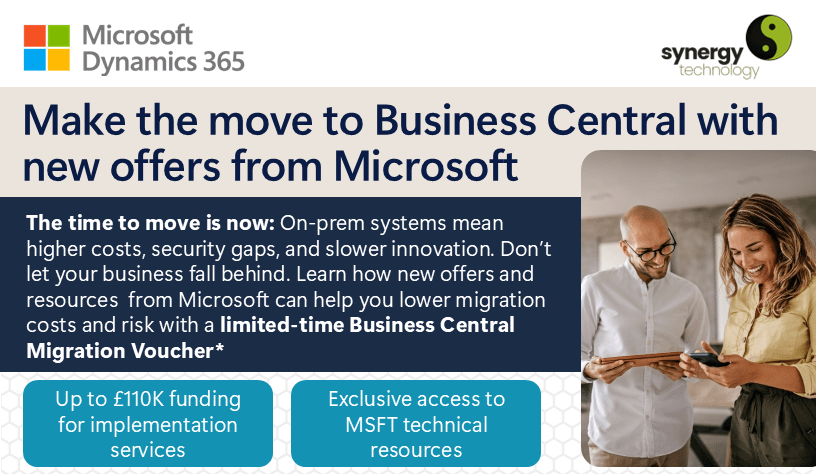
Microsoft’s Business Central Migration Voucher may provide qualifying organisations with funding towards eligible migration and implementation services.
According to the programme information reviewed by Synergy Technology, qualifying customers may be eligible for funding worth up to 100% of their first-year annual contract value, subject to a maximum voucher value of US$150,000. Eligibility criteria, programme terms, funding allocation and availability apply.
The programme is intended to support eligible organisations moving from Dynamics on-premises products, including Dynamics NAV and Business Central on-premises, to Business Central online.
Find out more about Microsoft’s Business Central Migration Voucher.
Bridge to Cloud 3
Bridge to Cloud 3 provides qualifying Dynamics customers with a 30% discount on eligible Dynamics 365 online licences for a fixed three-year term. The Synergy Technology programme guide states that the enrolment window runs from 1st January 2026 to 31st December 2027, subject to Microsoft’s terms.
Eligible organisations may also be able to retain rights to use their existing on-premises system during the transition. This can give the business time to plan and manage the move rather than treating cloud adoption as a single abrupt change.
Read our guide to the Microsoft Bridge to Cloud 3 promotion.
A suitable Business Central partner should help you review the published criteria, understand the commercial commitments and identify whether either initiative may be relevant to your organisation. They should not assume that every business will qualify.
Ask Synergy Technology These Questions
Choosing a Business Central partner is one of the most important decisions you will make during your NAV migration.
The right partner should take time to understand your organisation before recommending a technical route. They should be able to assess your data, processes, integrations and bespoke functionality while also providing project management, training, development and ongoing support.
Synergy Technology is a Microsoft Solutions Partner for Business Applications and a Small and Midsize Business Management Specialist. We have more than 20 years of experience implementing, integrating and supporting Dynamics NAV and Dynamics 365 Business Central for organisations across the UK.
You do not need to have decided on a route before speaking to us. An initial conversation can help you understand your current position, the questions that need answering and the options worth investigating.
Call Synergy Technology on 0345 456 0050 or contact our Business Central team to arrange a no-obligation conversation about your move from Dynamics NAV.
Follow us on social media: